
See how you send, follow and pay for work before you register.
Nine portal screens, one workflow. Each screen has its own page that explains what it shows and how clients use it. Five walkthroughs then follow the same screens through real kinds of business work.
These are not client stories. These screens are illustrative. Names are masked, task subjects are blurred and every number, date and amount is sample data. They are not a client's work and they promise no result. Real client feedback is on our reviews.
The nine screens
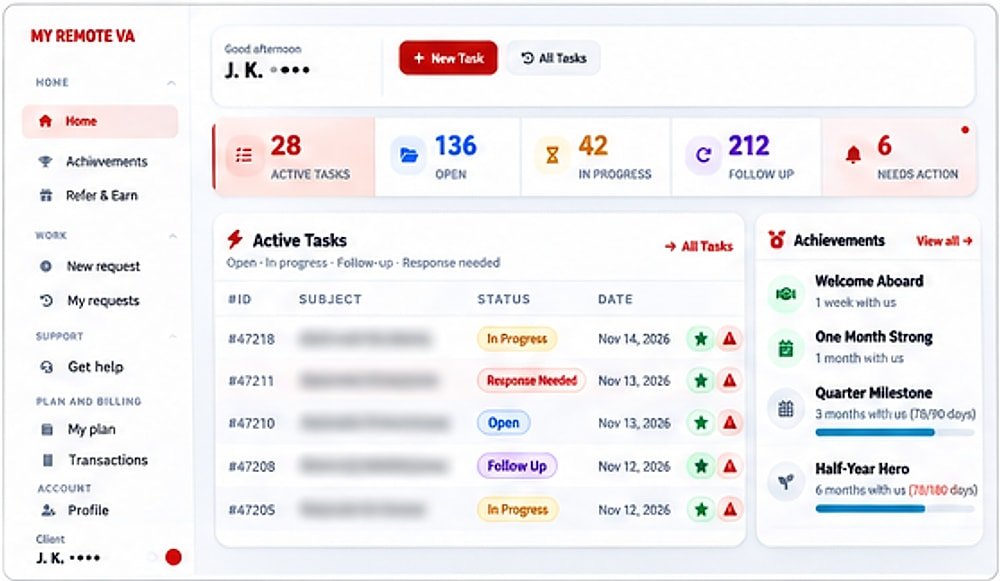 Screen 1Dashboard (Home)The dashboard is the first screen you see after you sign in. It answers one question: what is going on with my work…
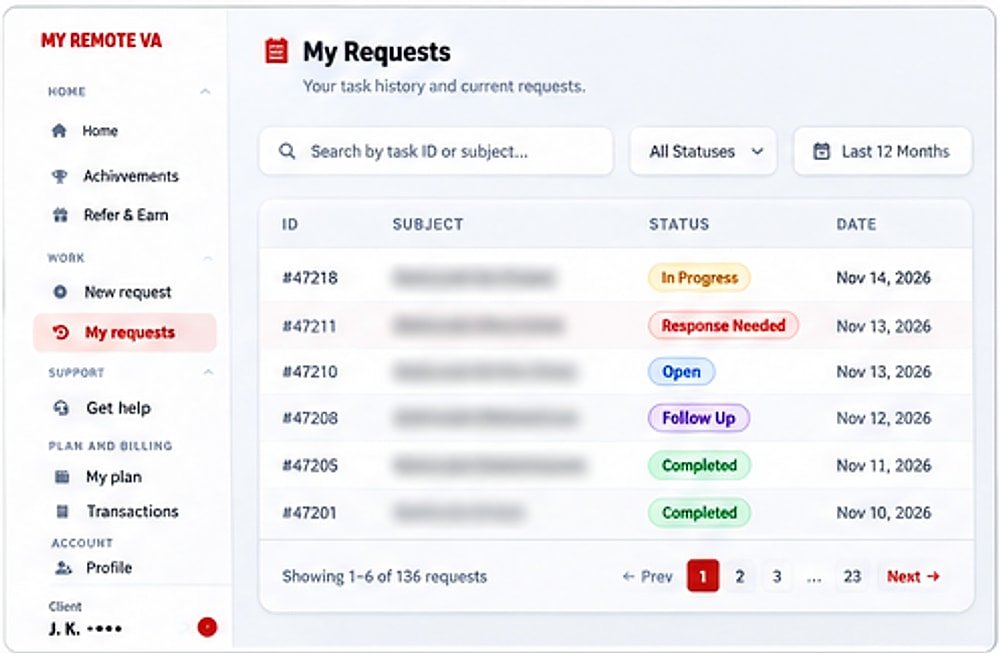 Screen 2My Requests (Task History)Every task you send is saved in My Requests. You can search by task number or subject, filter by status and pick a time…
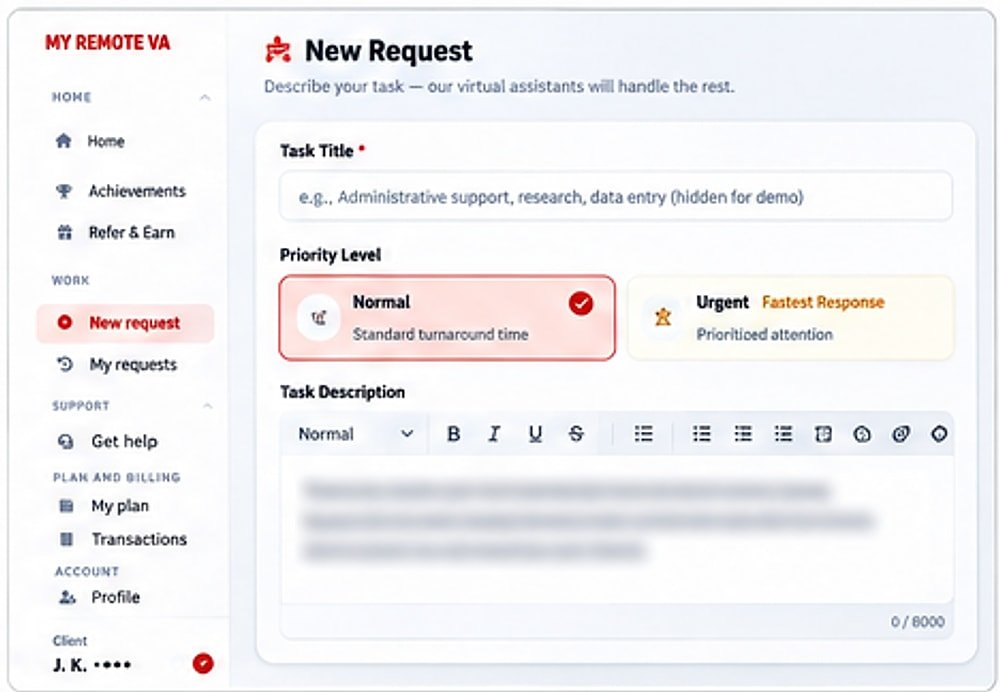 Screen 3New Request (Create Task)Delegating starts with a short written brief. The New Request form asks for a title, a priority and a description, and…
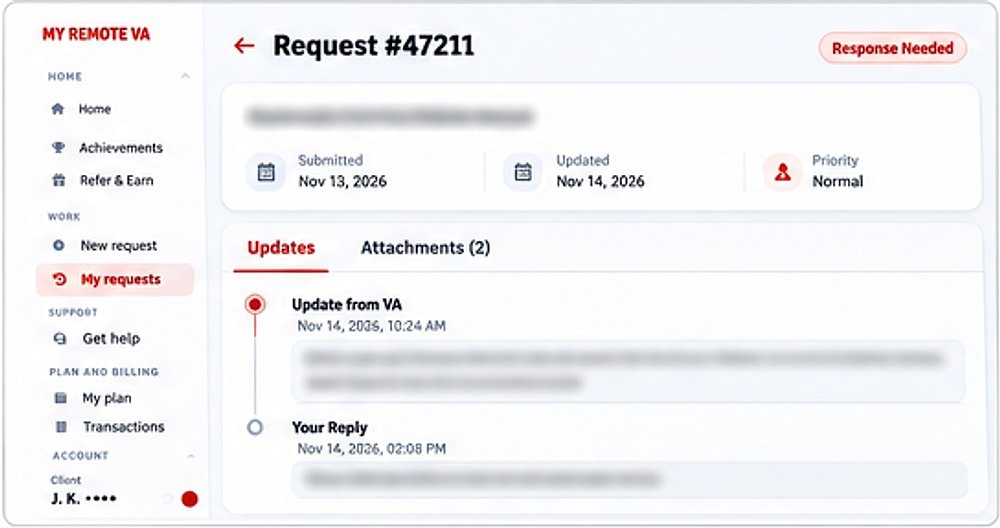 Screen 4Request Details (Task View)Each task has its own page. The status, dates and priority sit at the top, and the conversation sits below as a…
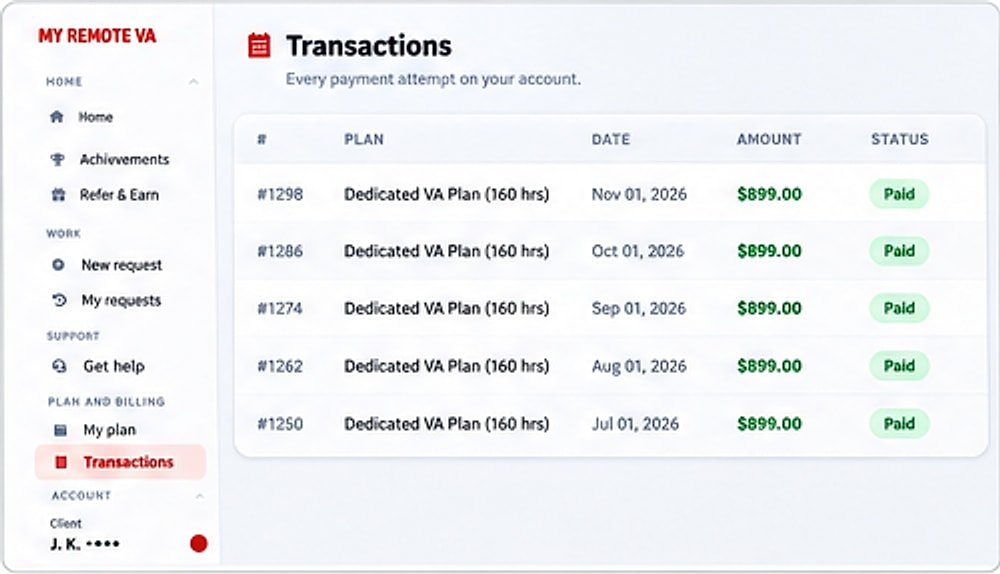 Screen 5Transactions (Billing History)Billing should not need a separate system or an email request. The Transactions screen lists each payment attempt on…
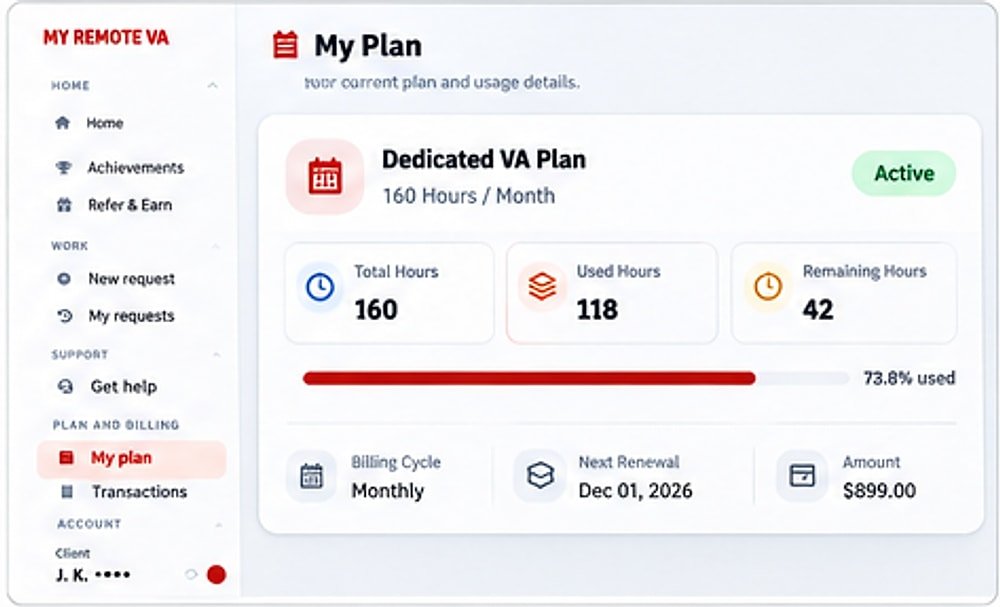 Screen 6My Plan (Subscription)The My Plan screen shows what you bought and how much is left. A usage bar and three hour counters let you decide what…
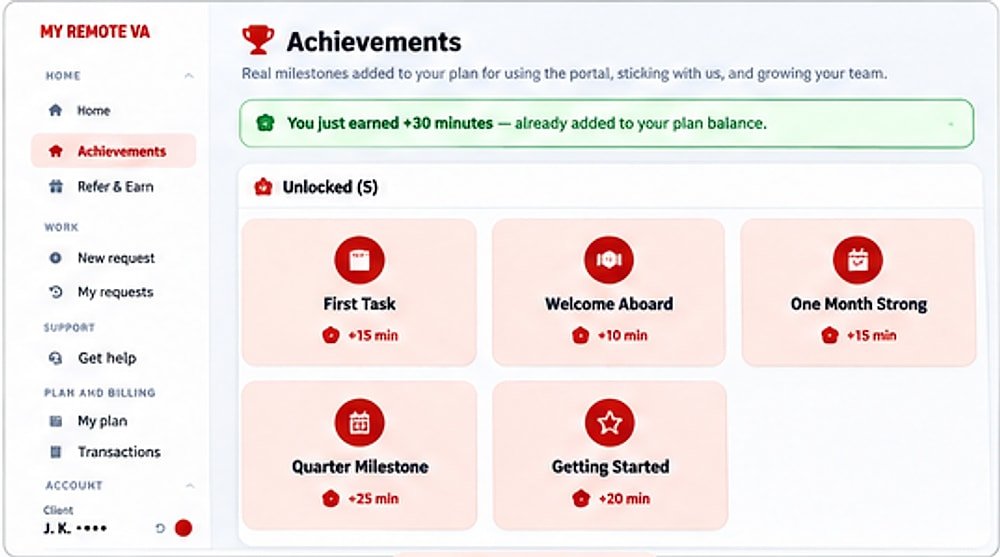 Screen 7AchievementsAchievements reward you for using the portal and staying with the service. Each milestone pays out actual minutes that…
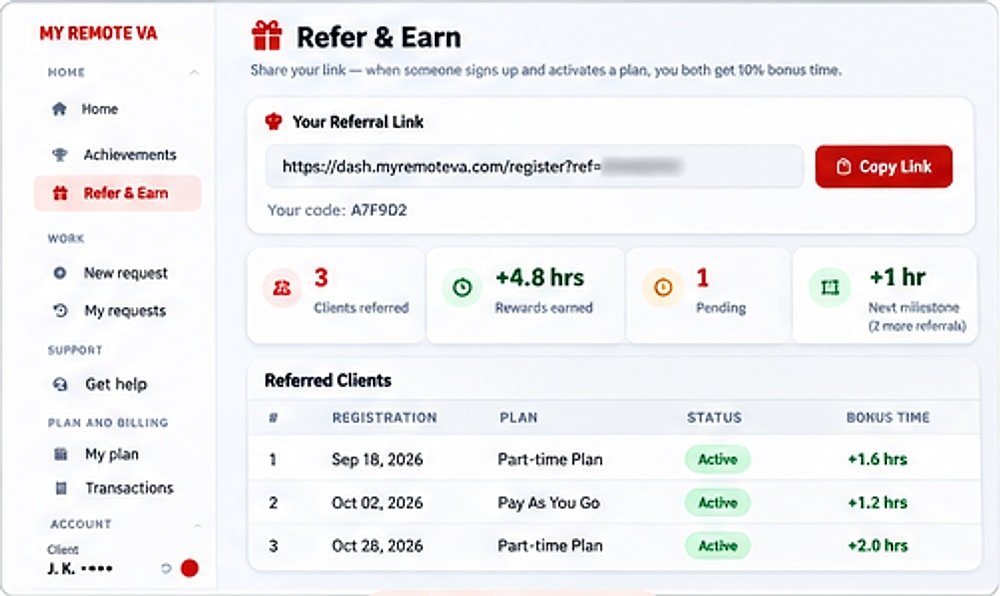 Screen 8Refer & EarnClients who like the service can share a personal link. When someone signs up through it and activates a plan, both of…
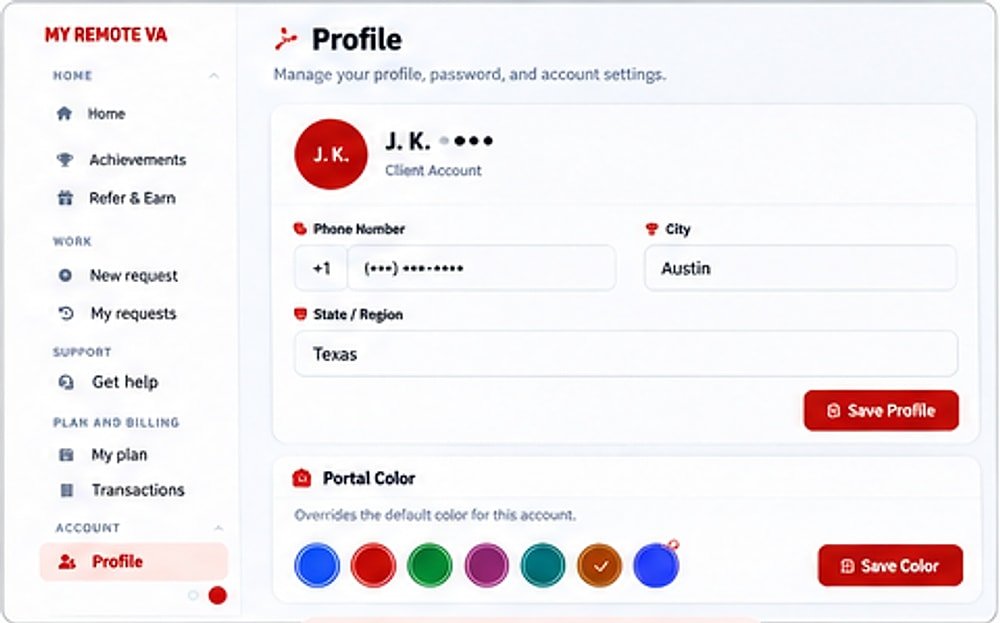 Screen 9Profile & Account SettingsThe profile area keeps your account details and portal preferences in one place. You can update contact information,…
Five workflows, same screens
Pick the kind of work closest to yours and follow the screens in the order a client would use them.
WorkflowOperations supportRecurring reports and trackers, Process documentation and checklists, Vendor and supplier follow-ups.
WorkflowExecutive assistantInbox organisation, Meeting research, Document preparation.
WorkflowEcommerce supportProduct data updates, Catalogue checks, Customer-support administration.
WorkflowReal estate supportListing data updates, Lead research, CRM cleanup.
WorkflowMarketing supportContent research, Social media scheduling, Website updates.
How the screens fit together
- Send a task from New Request with a title, a priority and a written brief.
- Follow it on the Dashboard and in My Requests.
- Reply in Request Details when the team asks a question.
- Track hours on My Plan and payments in Transactions.
- Earn bonus time through Achievements and Refer and Earn.
- Manage contacts and settings in Profile.
Prices and plans are on the pricing page. The illustrative case studies show the written briefs, the checks and a sample result for specific tasks.
Questions
Are these real client accounts?
No. They are illustrative screens with sample data and masked names. We do not publish a client's tasks, names or files here. Real feedback is on our reviews page.
Why show illustrative screens?
So you can see how tasks are sent, tracked and billed before you register. Showing a real client's work needs their permission, and that would be a different page.
What can I do in the client portal?
Send tasks, follow their status, reply in each task thread, see your plan hours and payments, earn bonus minutes with achievements and share a referral link.
How do I get access to the portal?
Create an account and pick a plan. New registrations can start on the $1 plan, which adds one hour of VA work every month.
Do the numbers on these screens mean anything?
No. The counters, dates and amounts are samples. The only figure to compare with real prices is the plan price, which matches the published full-time plan on our pricing page.
Questions about the portal? Ask us.
Not ready to start? Tell us about the work and we will reply by email, or arrange a call. The consultation is free.
- Tell us the tasks. We suggest the right role and plan.
- Or call +1 (917) 920 7030 (US number).
- Prefer to just start? Start for $1.