
Illustrative case study: a training provider hands off lesson uploads and enrolment admin for a course launch
A fictional training provider is launching a six-week course. A managed assistant uploads the approved lessons, checks every link, keeps the enrolment records and sends the scheduled reminders. The provider teaches and grades.
Fictional scenario. This is an illustrative scenario with fictional data. It shows how this kind of work could be set up, done and checked. It is not a client story and it promises no result. How we write our pages.
Specialist task. We confirm we can do this kind of work before you buy. Send us your task through the form at the bottom of the page and we will say yes or no first.
The situation
Lessons are finished as documents and videos in a shared folder. Nobody has time to move them into the course platform or test them. Twenty-five learners start in two weeks. The provider wants the platform ready and a short checklist that proves it.
The brief the assistant receives
Every task starts with a written brief. This one follows our task brief template.
What the assistant does
- Creates the modules and lessons in the order of the outline.
- Uploads each lesson and video and checks that it plays or opens.
- Tests every link and download as a learner would.
- Enrols learners and checks that each can sign in.
- Sends the scheduled reminders from the provider's templates.
- Answers access questions and passes content questions to the provider.
What the team lead checks before it reaches you
- The course order matches the outline.
- Every link and download was opened as a test learner.
- The enrolment sheet matches the platform.
- Reminders went on the agreed dates.
- The team lead walks through the course on a phone.
What you receive
| Item | Checked | Note |
|---|---|---|
| Week 1 lessons (5) | Yes | All play on phone and laptop |
| Downloads and templates | Yes | One file renamed |
| Learner access (25) | 24 of 25 | One email bounced, provider asked |
| Welcome reminder | Scheduled | Sends Monday 08:00 learner time |
Sample launch checklist. Fictional data.
Where you follow the work
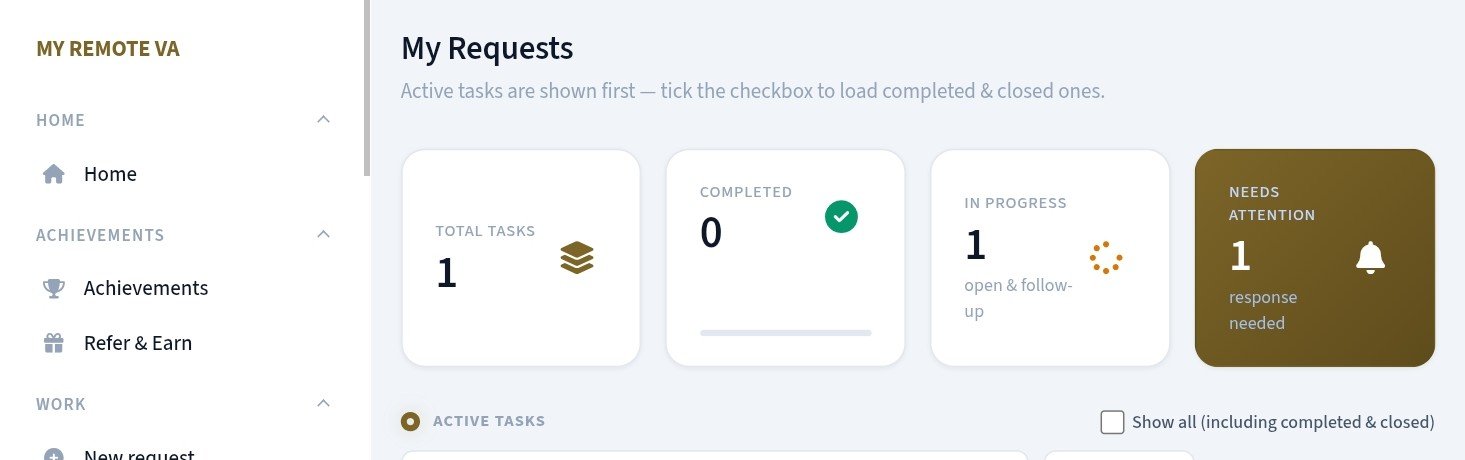
Tasks go in through the client portal, by email or through your own CRM. The portal shows each task, its status and a flag when a reply from you is needed. See every screen in the client portal walkthrough, or start with the dashboard and new request form.
Hours and plan
| Task area | Hours a month |
|---|---|
| Uploading lessons | 8 |
| Link and format checks | 4 |
| Enrolment admin | 6 |
| Reminders | 3 |
| Learner access support | 3 |
| Total | about 24 hours a month |
At about 24 hours a month, two 12-hour blocks: $240 for 24 hours, which is $10 an hour fits. Pay as you go would be $288. Unused hours roll over while the account is active. These hours are a planning estimate for this scenario, not a measured result. The calculator below compares every option, including quarterly packs paid for three months at once, which can cost less per month at some volumes. See every plan on the pricing page.
Try the numbers and the tools
Change the hours below to see the cheapest plan for your own volume. The other tools fit this kind of work too.
What this does not cover
- The assistant does not teach, grade or give feedback on learner work.
- It uploads only content you own or are licensed to use.
- We confirm capacity for platform work before you buy.
Questions about this example
Which course platforms can it use?
The one you already use, given an admin role. Tell us which in the brief.
Can it answer learner questions?
It answers access and logistics questions. Questions about the content go to you.
Related
- Administrative assistant service
- Virtual assistant for coaches and consultants
- Onboarding checklist
- Time zone planner
- All illustrative case studies
Share this example
Want this set up for your business? Tell us the task.
Not ready to start? Tell us about the work and we will reply by email, or arrange a call. The consultation is free.
- Tell us the tasks. We suggest the right role and plan.
- Or call +1 (917) 920 7030 (US number).
- Prefer to just start? Start for $1.
Rated by clients on other sites: Google 5.0 (17 reviews) · Clutch 5.0 (6 reviews) · G2 5.0 (1 review) · Trustpilot 4.0 (3 reviews). Checked 15 November 2026. Read the reviews