
Illustrative case study: a B2B site hands off formatting and publishing finished articles
A fictional software company has finished articles waiting in a shared folder. A managed assistant formats each draft, publishes it in WordPress and applies a checklist for links, images and metadata. The marketing lead approves every article before it goes live.
Fictional scenario. This is an illustrative scenario with fictional data. It shows how this kind of work could be set up, done and checked. It is not a client story and it promises no result. How we write our pages.
The situation
Writers deliver articles on time, but publishing waits for the one person who knows the CMS. Headings are inconsistent, images have no descriptions and internal links are forgotten. The marketing lead wants two articles live every week.
The brief the assistant receives
Every task starts with a written brief. This one follows our task brief template.
What the assistant does
- Formats the draft to the style guide and fixes obvious typos, marking each change.
- Adds images with descriptive text and compresses them.
- Adds internal links from the link sheet and checks that every link works.
- Writes the meta title and description for approval.
- Sends the preview link and waits for a yes.
- Publishes at the agreed time and updates the calendar.
What the team lead checks before it reaches you
- The article matches the approved draft word for word, apart from marked fixes.
- Every link opens the right page.
- Images have text descriptions and load fast.
- Metadata is within the limits and matches the article.
- The team lead opens the live page on a phone.
What you receive
| Check | Result |
|---|---|
| One H1 and clear subheadings | Pass |
| Internal links (3 added, all open) | Pass |
| Image descriptions and file sizes | Pass, 2 images compressed |
| Meta title 54 characters, description 148 | Pass |
| Approved by the marketing lead | Yes, 14:05 |
Sample pre-publish checklist. Fictional data.
Where you follow the work
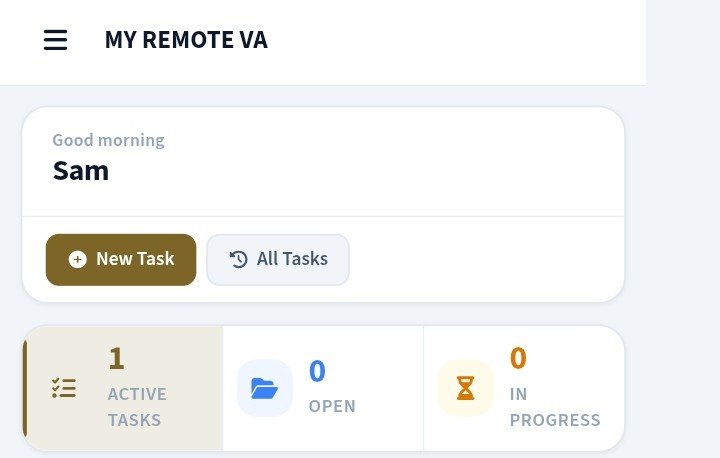
Tasks go in through the client portal, by email or through your own CRM. The portal shows each task, its status and a flag when a reply from you is needed. See every screen in the client portal walkthrough, or start with the dashboard and new request form.
Hours and plan
| Task area | Hours a month |
|---|---|
| Formatting drafts | 8 |
| Publishing in WordPress | 6 |
| Links and metadata | 5 |
| Image preparation | 3 |
| Editorial calendar | 2 |
| Total | about 24 hours a month |
At about 24 hours a month, two 12-hour blocks: $240 for 24 hours, which is $10 an hour fits. Pay as you go would be $288. Unused hours roll over while the account is active. These hours are a planning estimate for this scenario, not a measured result. The calculator below compares every option, including quarterly packs paid for three months at once, which can cost less per month at some volumes. See every plan on the pricing page.
Try the numbers and the tools
Change the hours below to see the cheapest plan for your own volume. The other tools fit this kind of work too.
What this does not cover
- The assistant does not write the articles or invent facts.
- It does not buy links or stuff keywords.
- Ranking depends on many things we do not control, so we promise no position or traffic.
Questions about this example
Will this make my articles rank?
It makes sure each one is published cleanly and consistently. Rankings depend on competition, authority and time, and we promise none.
Can it refresh old articles?
Yes. You mark the articles and the changes, and the assistant makes them and logs what changed.
Related
- Website maintenance service
- Website audit checklist
- Website maintenance service
- WordPress developer service
- All illustrative case studies
Share this example
Want this set up for your business? Tell us the task.
Not ready to start? Tell us about the work and we will reply by email, or arrange a call. The consultation is free.
- Tell us the tasks. We suggest the right role and plan.
- Or call +1 (917) 920 7030 (US number).
- Prefer to just start? Start for $1.
Rated by clients on other sites: Google 5.0 (17 reviews) · Clutch 5.0 (6 reviews) · G2 5.0 (1 review) · Trustpilot 4.0 (3 reviews). Checked 15 November 2026. Read the reviews